
AI Features Settings
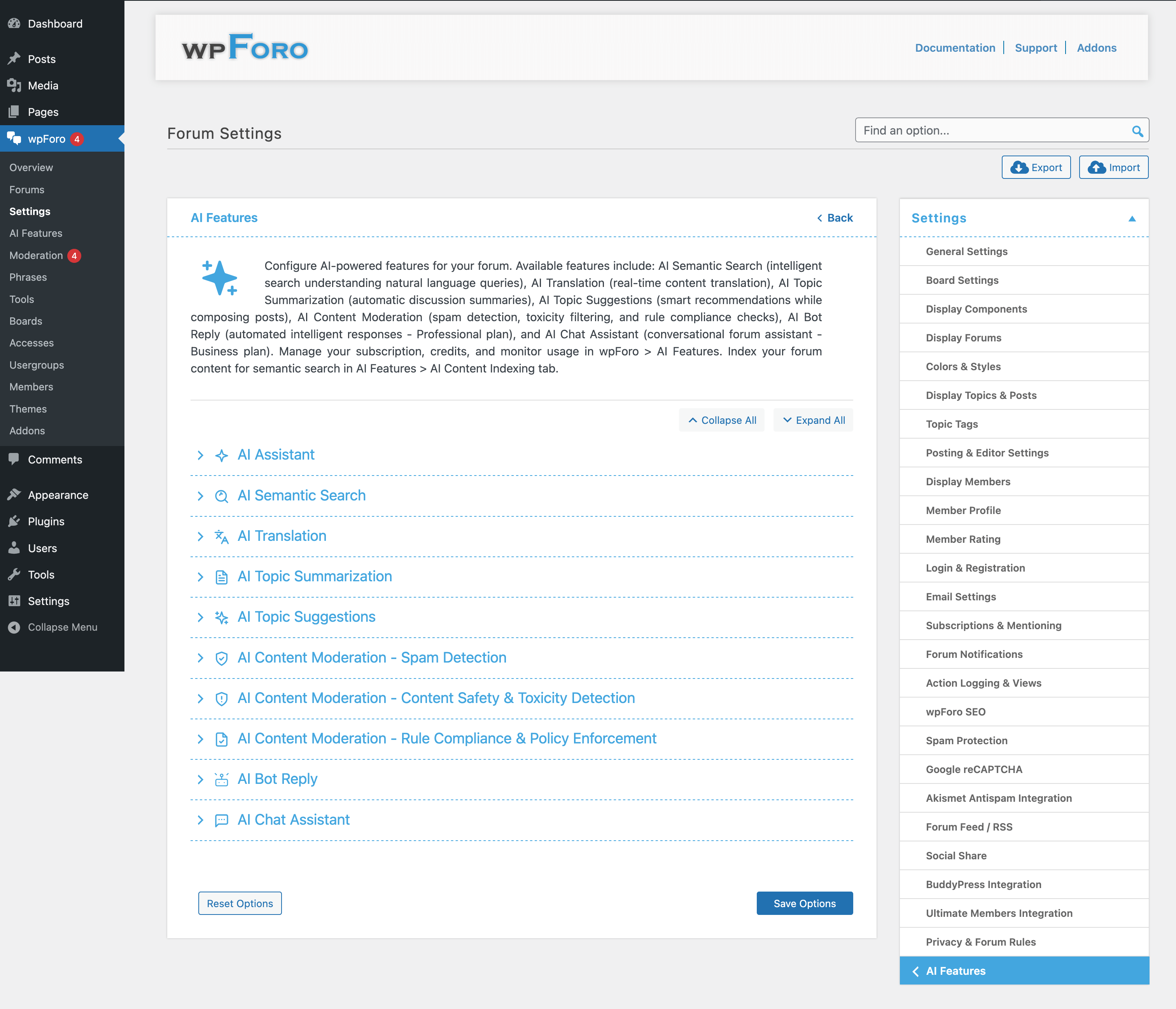
The AI Features settings page allows you to configure all AI-powered capabilities in wpForo. Access these settings by navigating to Dashboard > wpForo > Settings > AI Features.
Overview
wpForo AI Features transform your forum into an intelligent community platform. These features include:
- AI Assistant Widget – Enable the AI Assistant Widget under the forum menu
- AI Semantic Search – Intelligent search that understands context and meaning
- AI Topic Suggestions – Help users find related topics before posting
- AI Topic Summarization – Generate summaries for long discussions
- AI Translation – Automatic content translation
- AI Content Moderation – Spam, toxicity, and rule compliance detection
- AI ChatBot – Interactive AI assistant for users
- AI Bot Reply – Automatic AI responses to topics
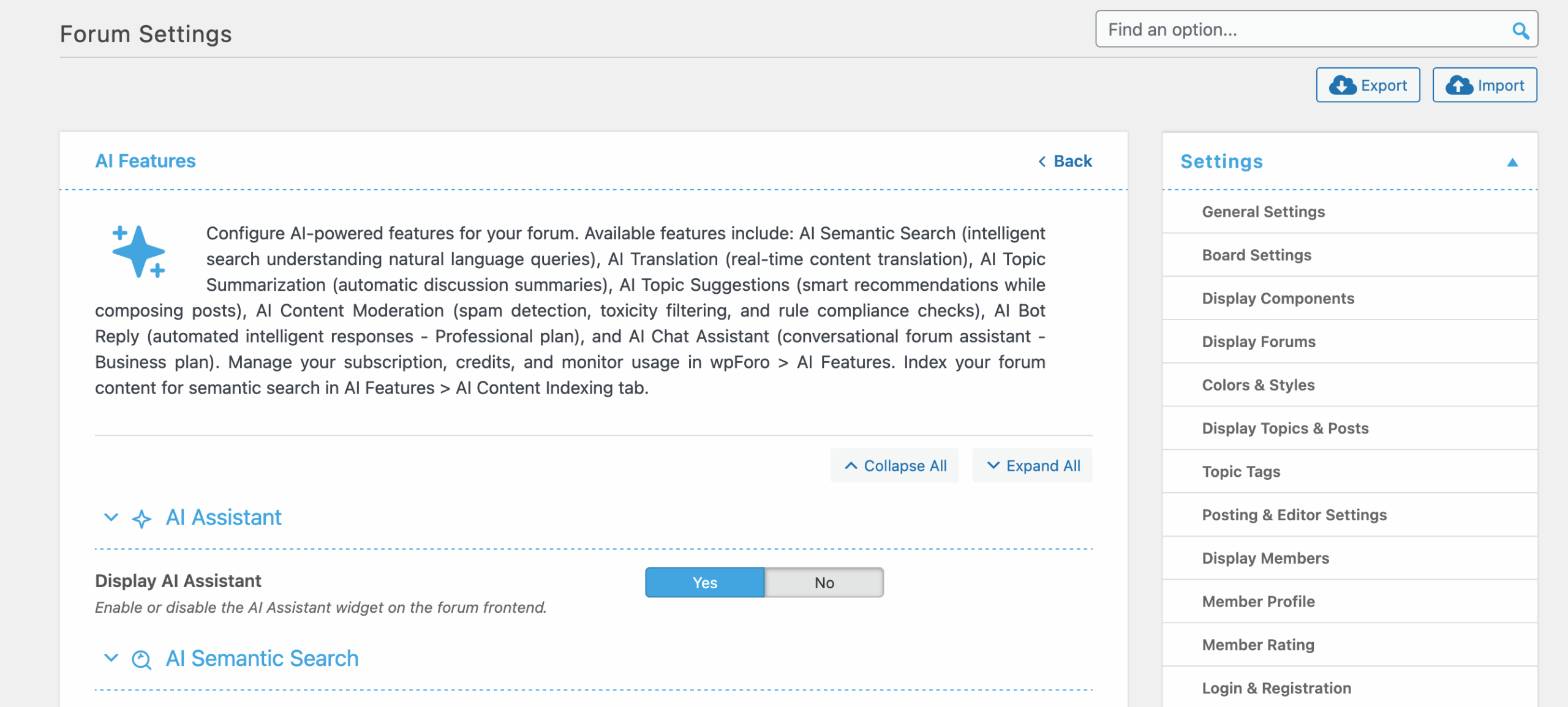
AI Assistent Widget
AI Semantic Search Settings
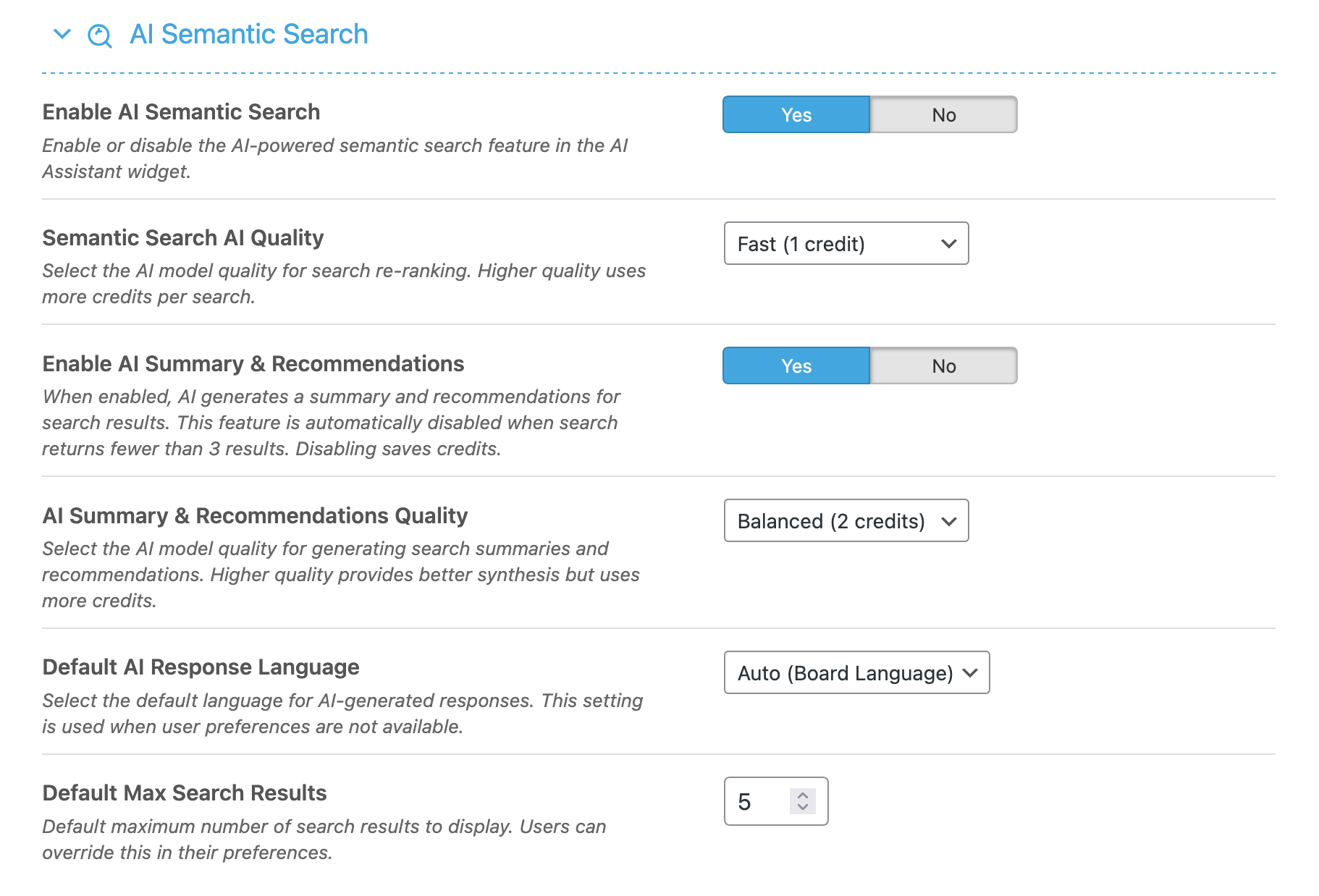
Configure intelligent search capabilities:
- Enable AI Search – Turn on/off AI-powered semantic search
- Search Quality – Choose between Fast, Balanced, or Advanced quality levels
- Query Enhancement – AI improves search queries for better results
- Max Results – Number of search results to display
- Search Language – Preferred language for search processing
AI Topic Suggestions Settings
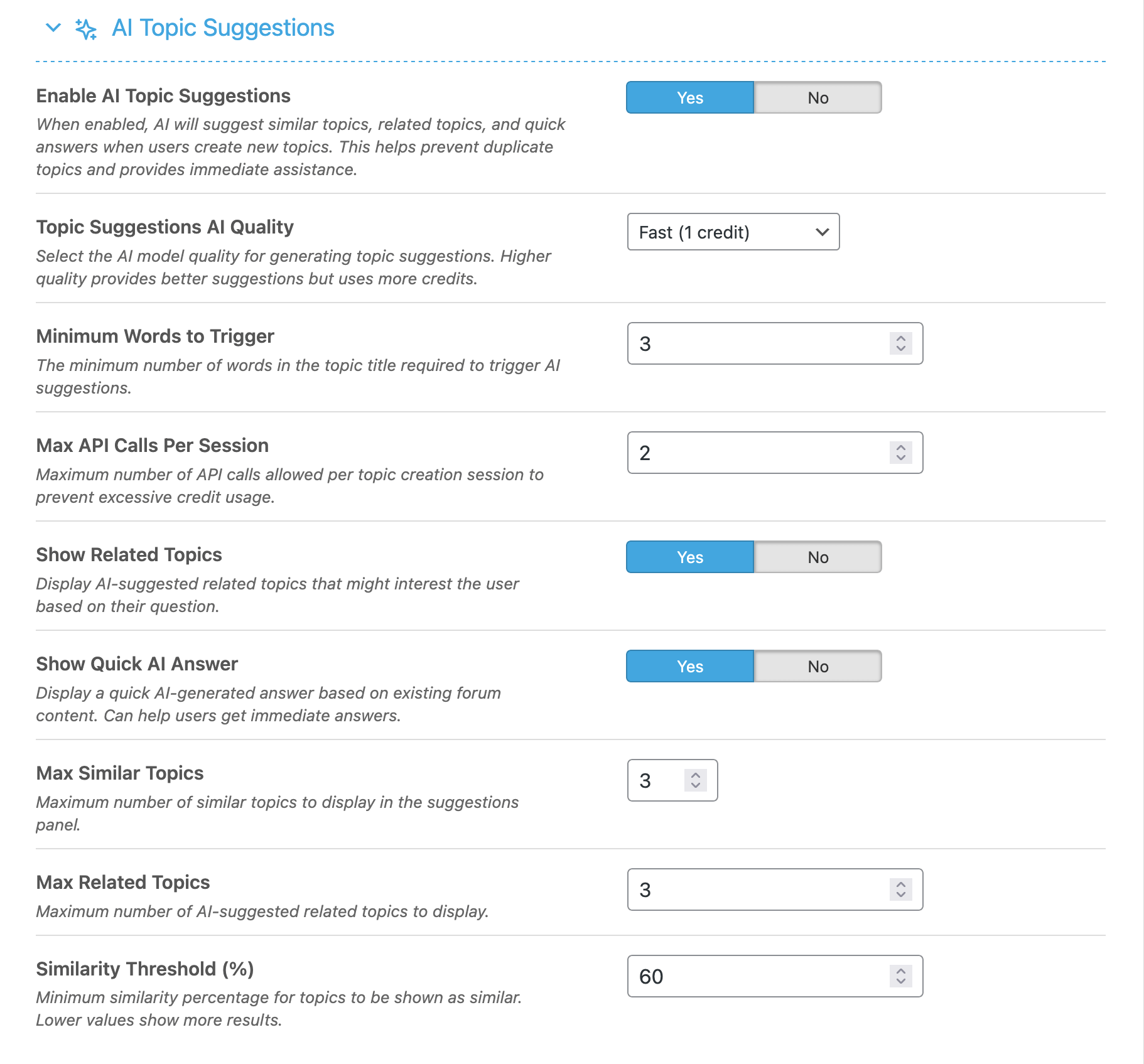
Help users find existing answers before creating new topics:
- Enable Topic Suggestions – Show similar topics while users type
- AI Quality – Processing quality level
- Minimum Words – Words required before showing suggestions
- Maximum API Calls – Limit API requests per session
- Show Related Topics – Display related topic suggestions
- Show AI Answer – Provide AI-generated quick answers
- Similarity Threshold – Minimum similarity percentage for suggestions
AI Topic Summarization Settings
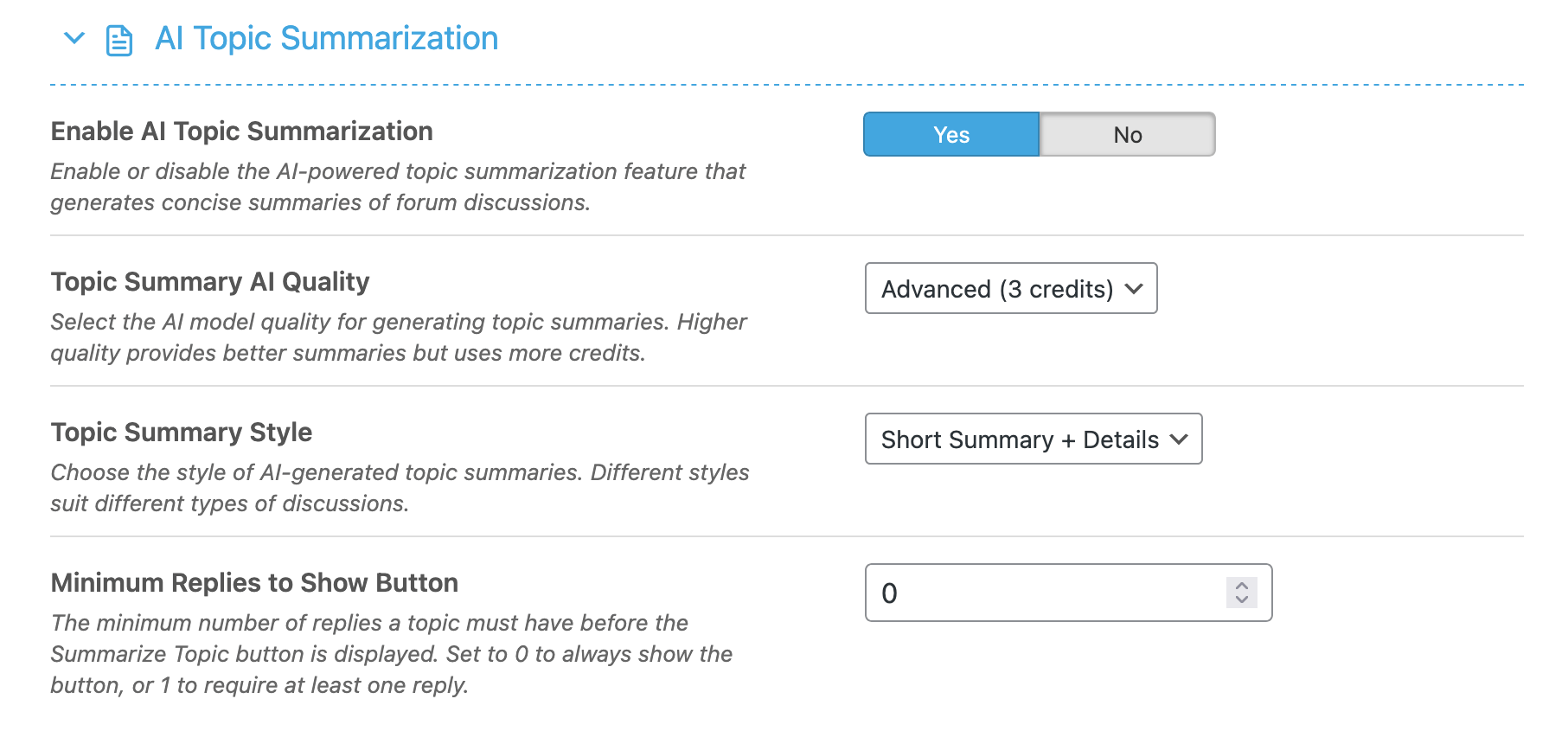
Configure topic summary generation:
- Enable Summarization – Allow users to generate topic summaries
- AI Quality – Summary generation quality
- Summary Style – Choose between Brief, Detailed, or Comprehensive styles
- Minimum Replies – Minimum replies before summary button appears
AI Translation Settings
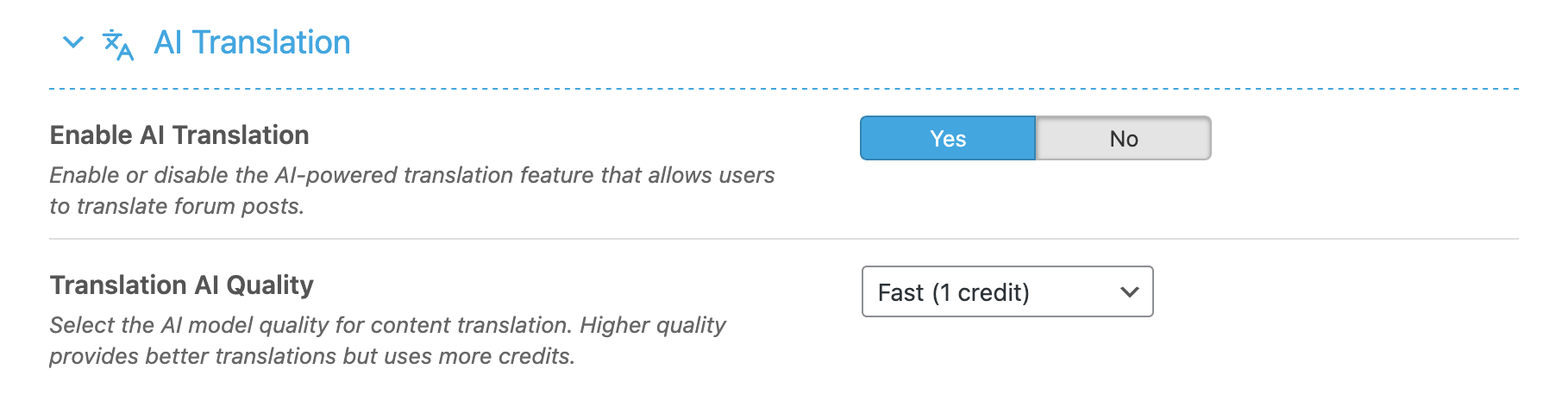
Enable automatic content translation:
- Enable Translation – Allow users to translate content
- AI Quality – Translation quality level
AI Spam Detection Settings
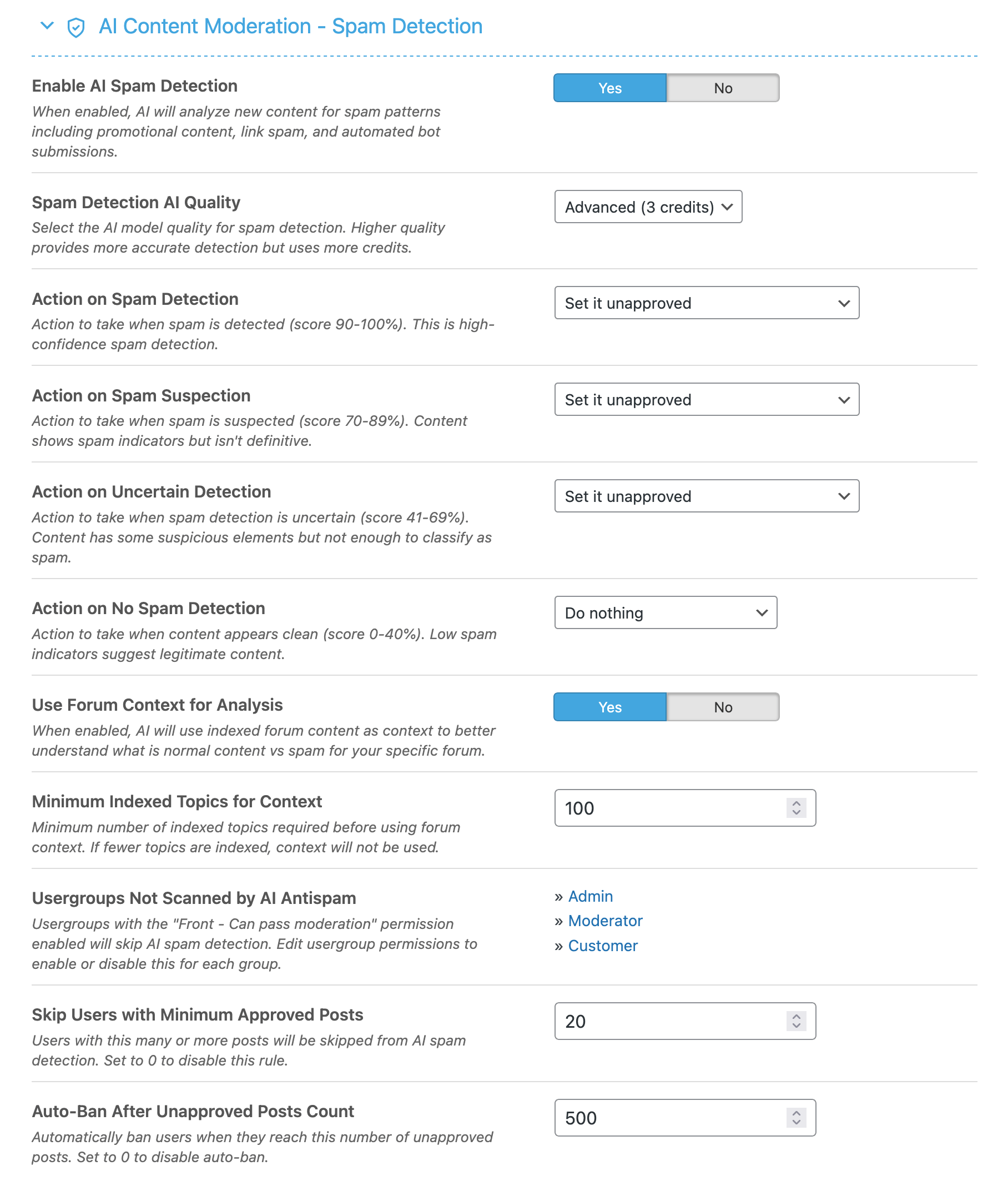
AI-powered spam detection and prevention:
- Enable Spam Detection – Activate AI spam analysis
- Detection Quality – AI processing quality (affects accuracy and credits)
- Use Context – Include forum context for better detection
- Minimum Indexed Topics – Required indexed content for context
- Action on Detection – What to do when spam is detected (unapprove, ban, delete)
- Action on Suspicion – Action for suspected spam
- Exempt Users – Minimum posts to bypass spam checks
- Auto-ban Threshold – Unapproved posts before automatic ban
AI Toxicity Detection Settings
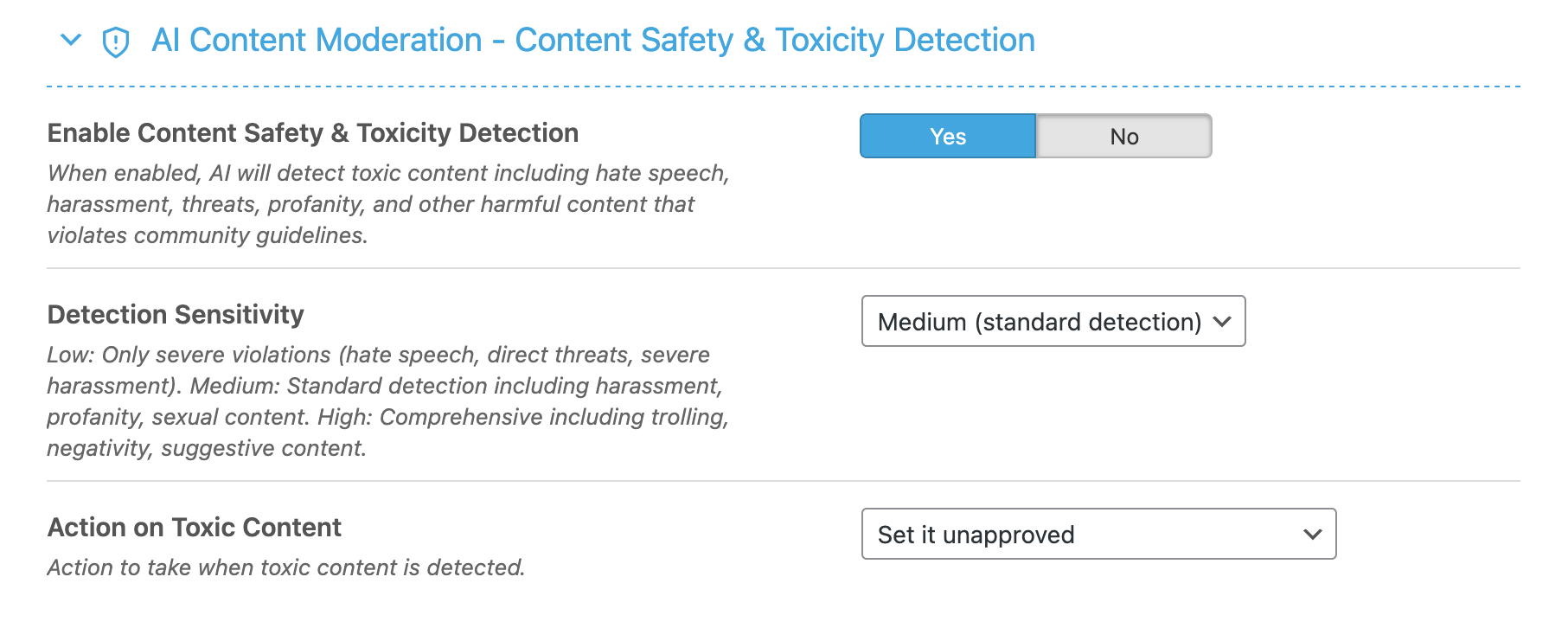
Detect and handle toxic content:
- Enable Toxicity Detection – Activate toxic content analysis
- Sensitivity Level – Low, Medium, or High sensitivity
- Action on Detection – Response to toxic content
AI Rule Compliance Settings
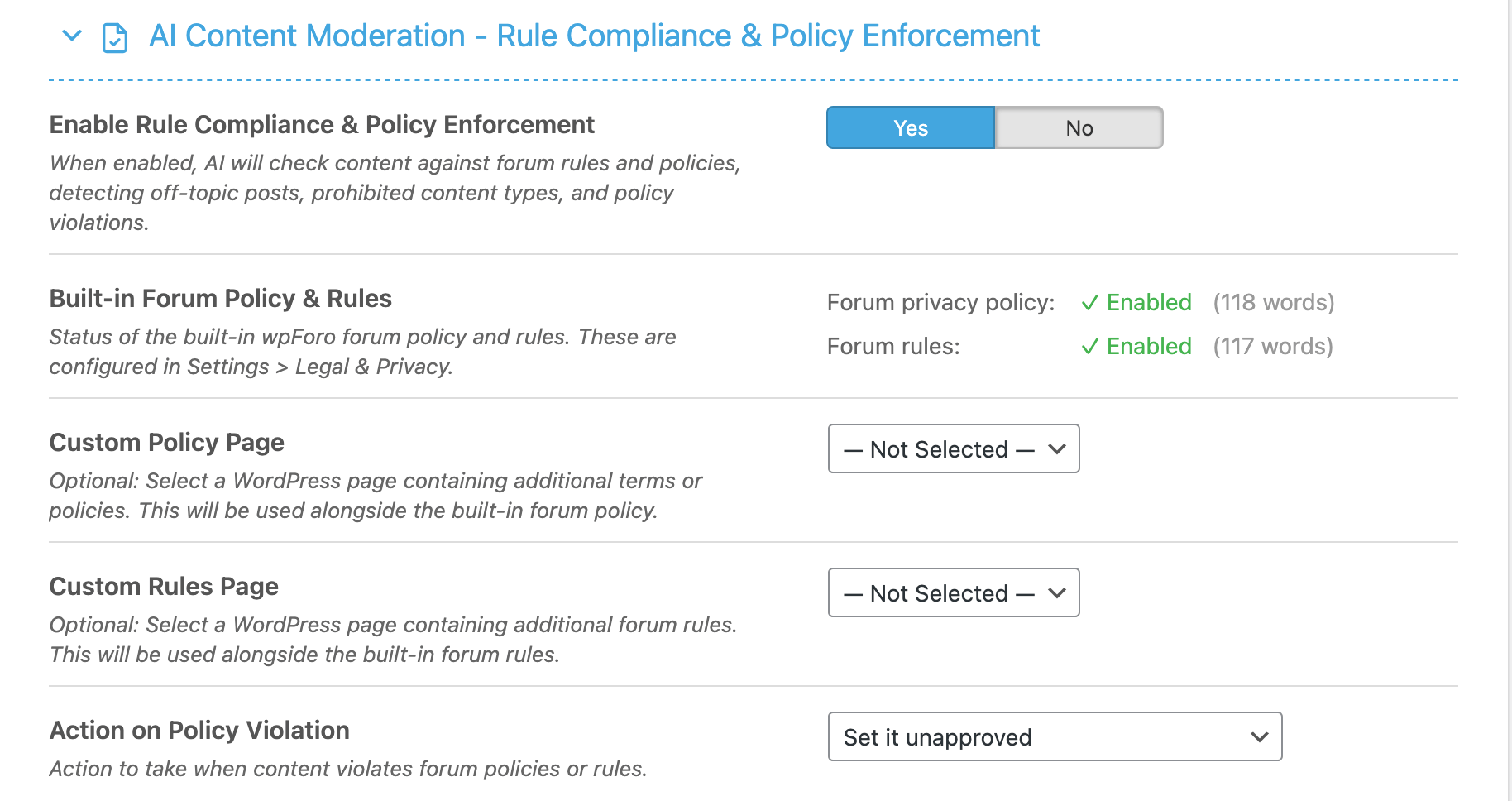
Enforce forum rules and policies:
- Enable Compliance – Activate rule compliance checking
- Custom Policy Page – Link to your forum rules page
AI ChatBot Settings
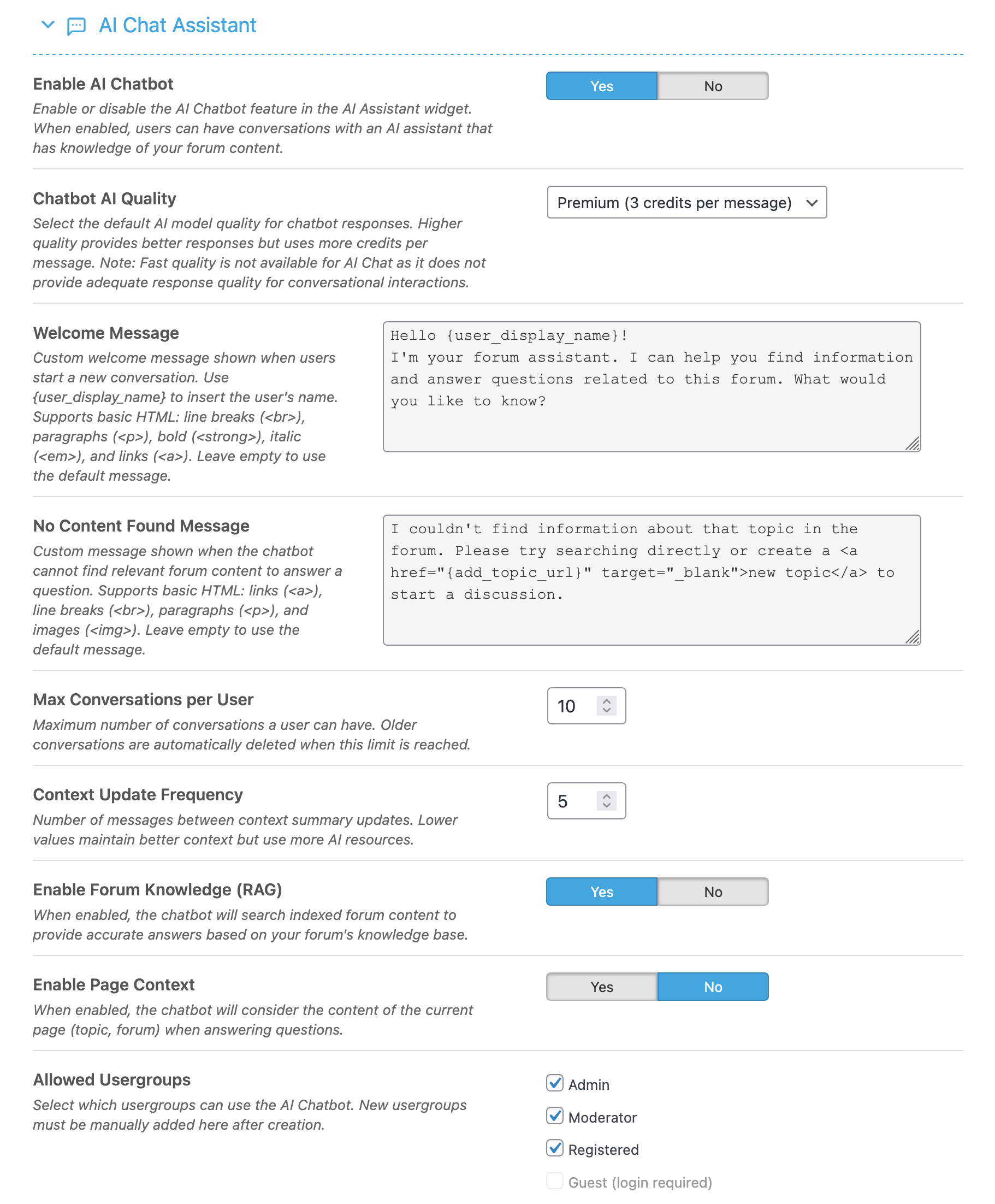
Configure the interactive AI assistant:
- Enable ChatBot – Activate the AI chat widget
- AI Quality – Response quality level
- Position – Widget placement (left/right)
- Use Local Context – Include forum content in responses
- Allowed User Groups – Restrict access to specific groups
AI Bot Reply Settings
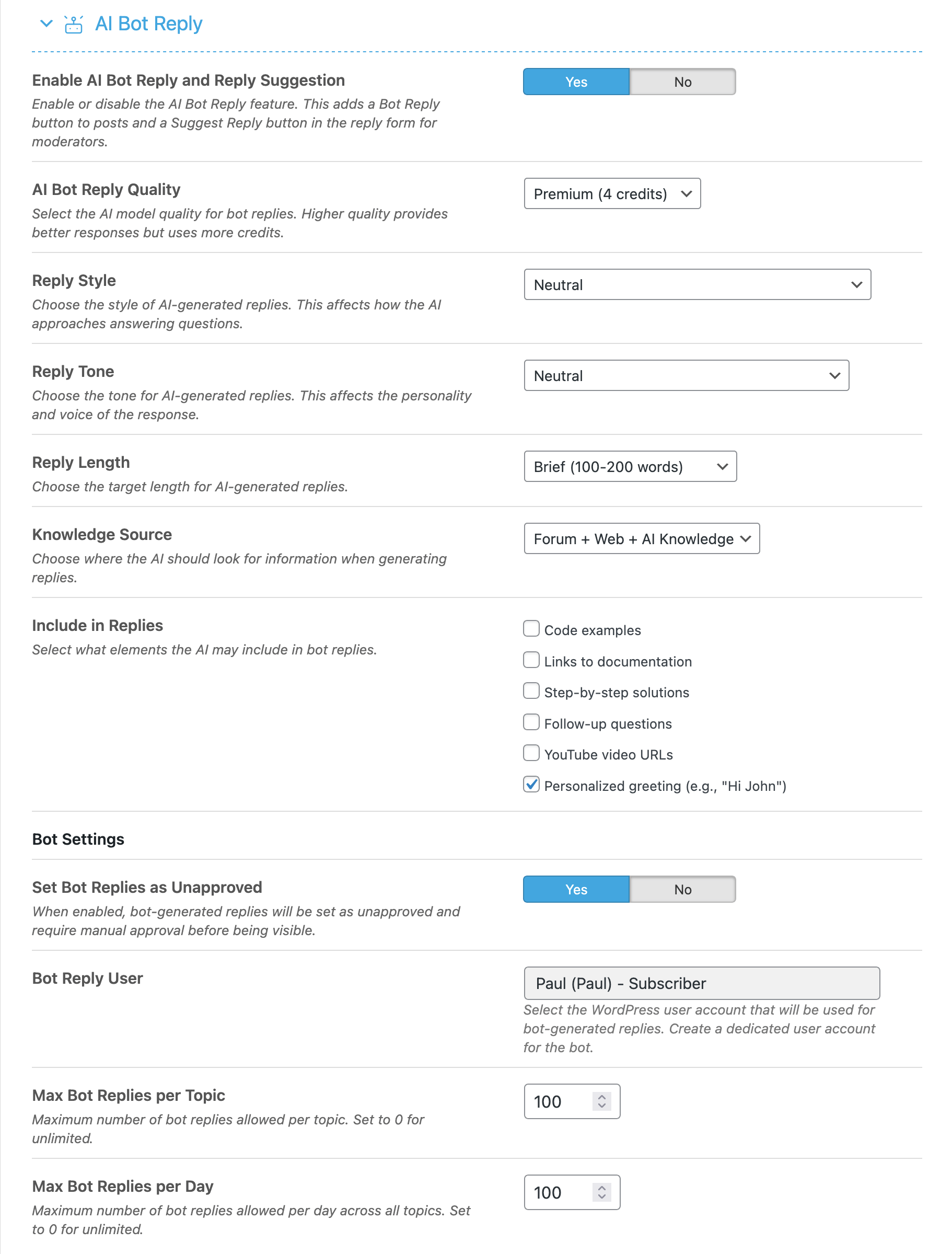
Configure automatic AI responses to topics:
- Enable Bot Reply – Allow AI to respond to topics
- AI Quality – Response quality level
- Reply Mode – Automatic or manual approval
- Allowed Forums – Forums where bot can reply
- Delay – Wait time before posting reply