
AI Topic Summarization
AI Topic Summarization generates intelligent summaries of long forum discussions, helping users quickly understand the key points without reading through all replies.
How It Works
- User clicks the “Summarize Topic” button on a topic
- AI analyzes all posts in the discussion
- Generates a comprehensive summary including:
- Main question or issue
- Key solutions or answers
- Important points from the discussion
- Resolution status (if applicable)
- Summary is displayed and cached for future use
Summary Styles
| Style | Length | Detail Level | Best For |
|---|---|---|---|
| Brief | 2-3 sentences | Key points only | Quick overview, long topics |
| Detailed | 1-2 paragraphs | Main points + context | Most discussions (recommended) |
| Comprehensive | Multiple paragraphs | Full analysis | Complex technical discussions |
Configuration
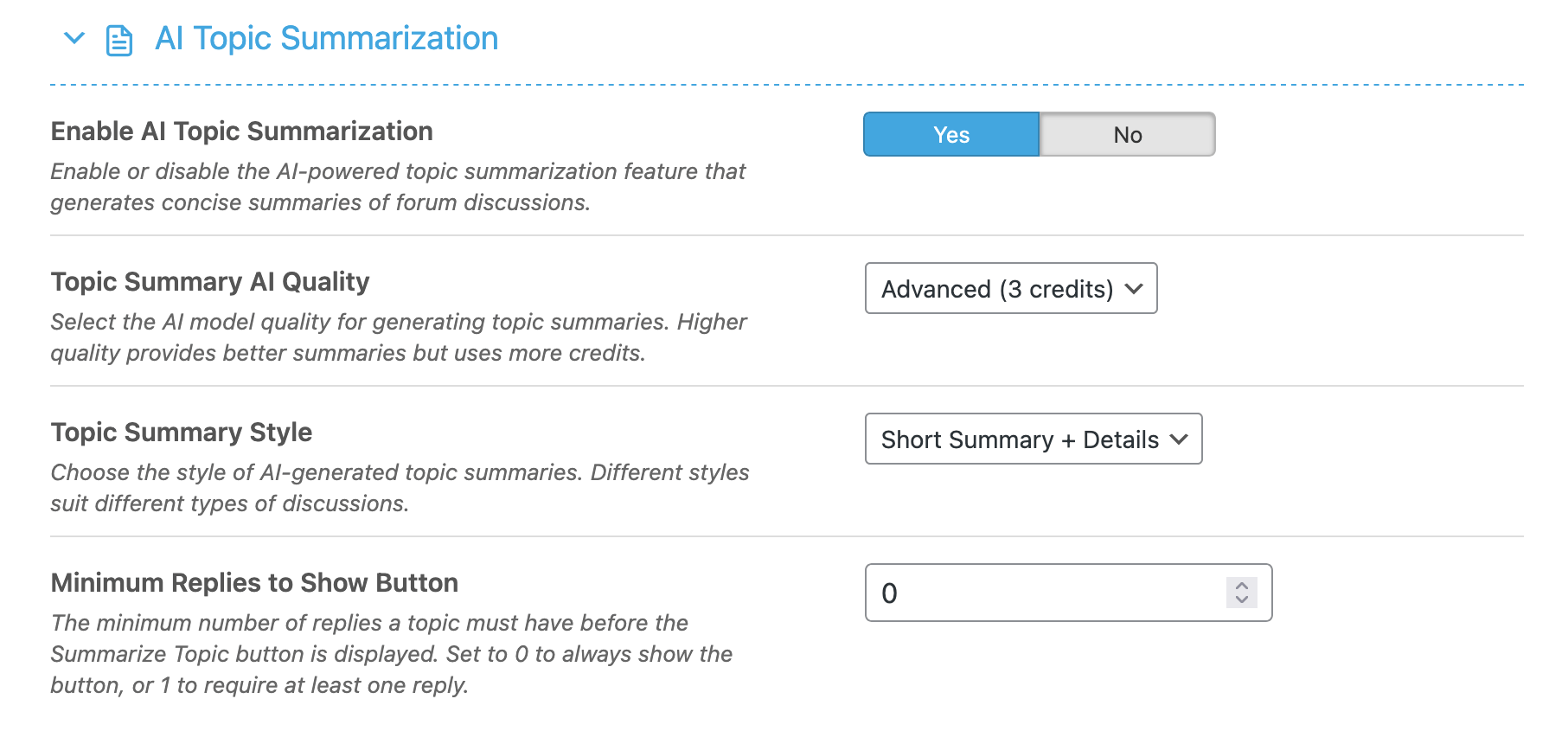
Settings Explained
- Enable AI Topic Summarization – Master toggle for summaries
- AI Quality – Processing quality level
- Summary Style – Brief, Detailed, or Comprehensive
- Minimum Replies to Show Button – Replies needed before button appears (0 = always show)
Summary Caching
Summaries are automatically cached to:
- Reduce credit consumption
- Provide instant access on repeat views
- Maintain consistency for users
Cache is automatically invalidated when new replies are added.
Best Practices
- Set minimum replies to 3-5 – Short topics don’t need summaries
- Use Detailed style – Best balance of information
- Use Balanced quality – Good accuracy at reasonable cost
Use Cases
- Support forums – Quickly see problem + solution
- Technical discussions – Extract key technical points
- Long debates – Understand different viewpoints
- Old topics – Catch up without reading everything