
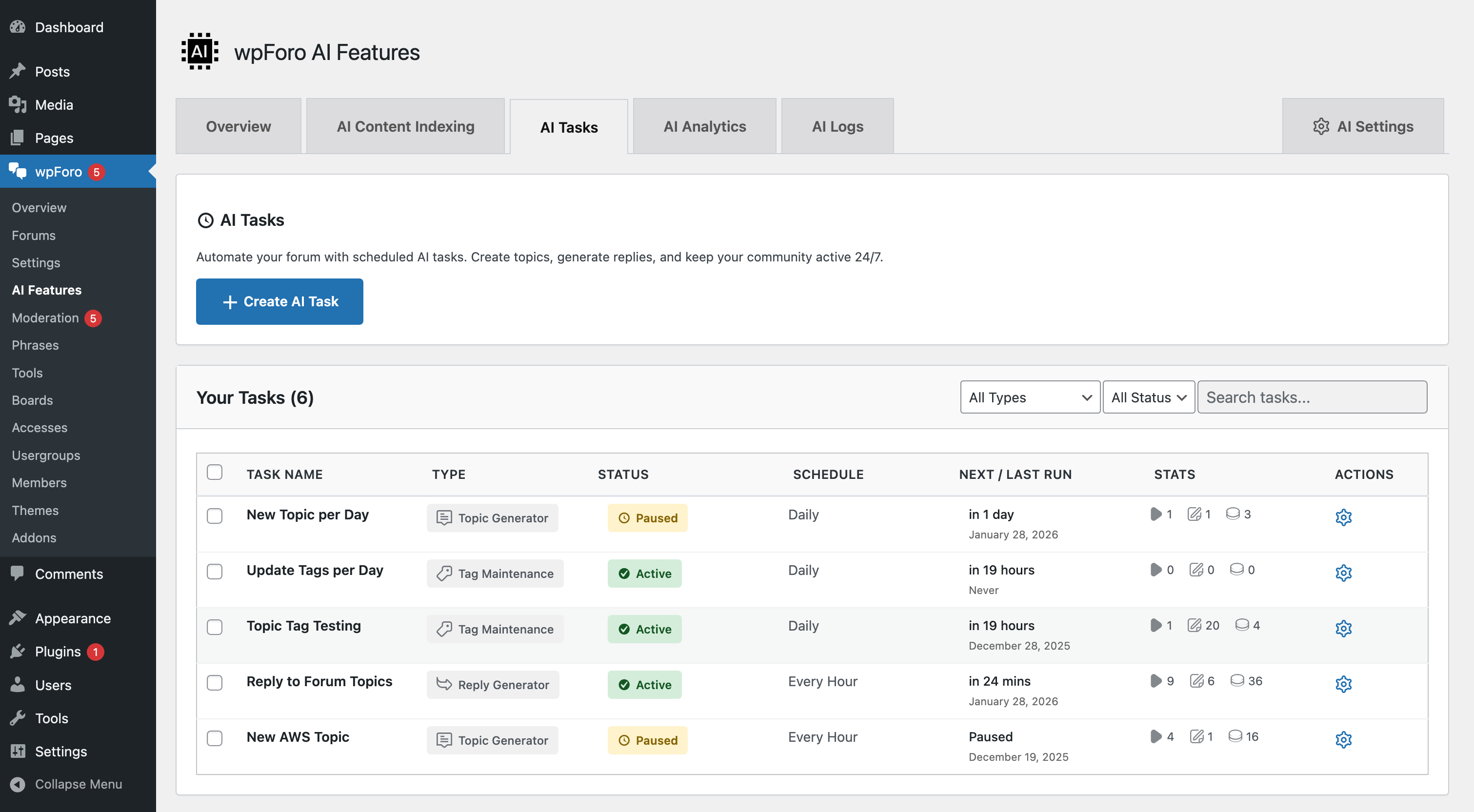
AI Tasks
AI Tasks are powerful automation tools that help forum administrators manage content at scale. These tasks run intelligent operations using AI to generate, organize, and maintain forum content automatically.
AI Topic Generator
The AI Topic Generator automatically creates new forum topics based on your forum’s subject matter and existing content patterns. This is ideal for seeding new forums with relevant discussions or maintaining consistent posting activity.
Video Tutorial
Features
- Smart Topic Generation – AI analyzes your forum’s existing content to generate relevant, contextual topics
- Forum Selection – Choose which forums to generate topics for
- Quantity Control – Specify how many topics to create per batch
- Quality Settings – Select AI model quality (Fast, Balanced, Advanced, Premium)
- Author Assignment – Assign generated topics to a specific user or bot account
Credit Usage
| Quality | Credits per Topic | Best For |
|---|---|---|
| Fast | 1 credit | Quick topic generation, simple forums |
| Balanced | 2 credits | General use, good quality-cost balance |
| Advanced | 3 credits | Higher quality, detailed topics |
| Premium | 5 credits | Best quality, complex discussions |
AI Reply Generator
The AI Reply Generator creates intelligent responses to forum topics that haven’t received replies. This helps maintain engagement and ensures users get helpful responses to their questions.
Video Tutorial
Features
- Unanswered Topic Detection – Automatically identifies topics without replies
- Context-Aware Responses – AI generates replies based on topic content and forum context
- Forum Filtering – Target specific forums for reply generation
- Batch Processing – Generate multiple replies in a single task run
- Bot Account Integration – Replies posted under designated AI bot account
Credit Usage
| Quality | Credits per Reply | Best For |
|---|---|---|
| Fast | 1 credit | Simple acknowledgments, quick responses |
| Balanced | 2 credits | General replies, moderate detail |
| Advanced | 3 credits | Detailed helpful responses |
| Premium | 5 credits | Expert-level comprehensive replies |
AI Topic Tag Manager
The AI Topic Tag Manager analyzes forum topics and automatically generates or updates topic tags. This improves content organization and makes topics easier to find through tag-based navigation.
Video Tutorial
Features
- Automatic Tag Generation – AI analyzes topic content to suggest relevant tags
- Bulk Tag Update – Process multiple topics at once
- Tag Suggestions – Uses existing forum tags when appropriate
- Forum Selection – Choose which forums to process
- Tag Limit Control – Set maximum tags per topic
Credit Usage
| Quality | Credits per Topic | Best For |
|---|---|---|
| Fast | 1 credit | Basic tag assignment |
| Balanced | 2 credits | Good tag relevance |
| Advanced | 3 credits | Accurate categorization |
| Premium | 5 credits | Best tag accuracy and relevance |
Running AI Tasks
- Go to Dashboard > wpForo > AI Features > Tasks tab
- Select the task you want to run
- Configure task options (forums, quantity, quality level)
- Click Run Task to start
- Monitor progress in the task list
Task Status
- Pending – Task is queued and waiting to start
- Running – Task is currently processing
- Completed – Task finished successfully
- Failed – Task encountered an error (check logs)
- Cancelled – Task was manually stopped
Best Practices
- Start with lower quality – Test with Fast quality first to verify results
- Process in batches – Don’t run too many tasks simultaneously
- Review generated content – Check AI-generated topics and replies for accuracy
- Monitor credit usage – Keep track of credits consumed by each task
- Schedule during low traffic – Run large batch tasks when server load is minimal