
AI Bot Reply
AI Bot Reply automatically generates helpful responses to new forum topics, ensuring users get quick answers even when human experts aren’t available.
How It Works
- User creates a new topic
- AI analyzes the question
- Based on configuration, AI either:
- Posts a reply automatically, or
- Creates a draft for moderator approval
- AI uses forum context for relevant answers
Reply Modes
| Mode | Description | Best For |
|---|---|---|
| Automatic | AI posts immediately | Support forums, FAQ-type questions |
| Manual Approval | AI creates draft for review | Technical forums, sensitive topics |
| Task-Based | Replies queued as AI Tasks | High-volume forums, batch processing |
Configuration
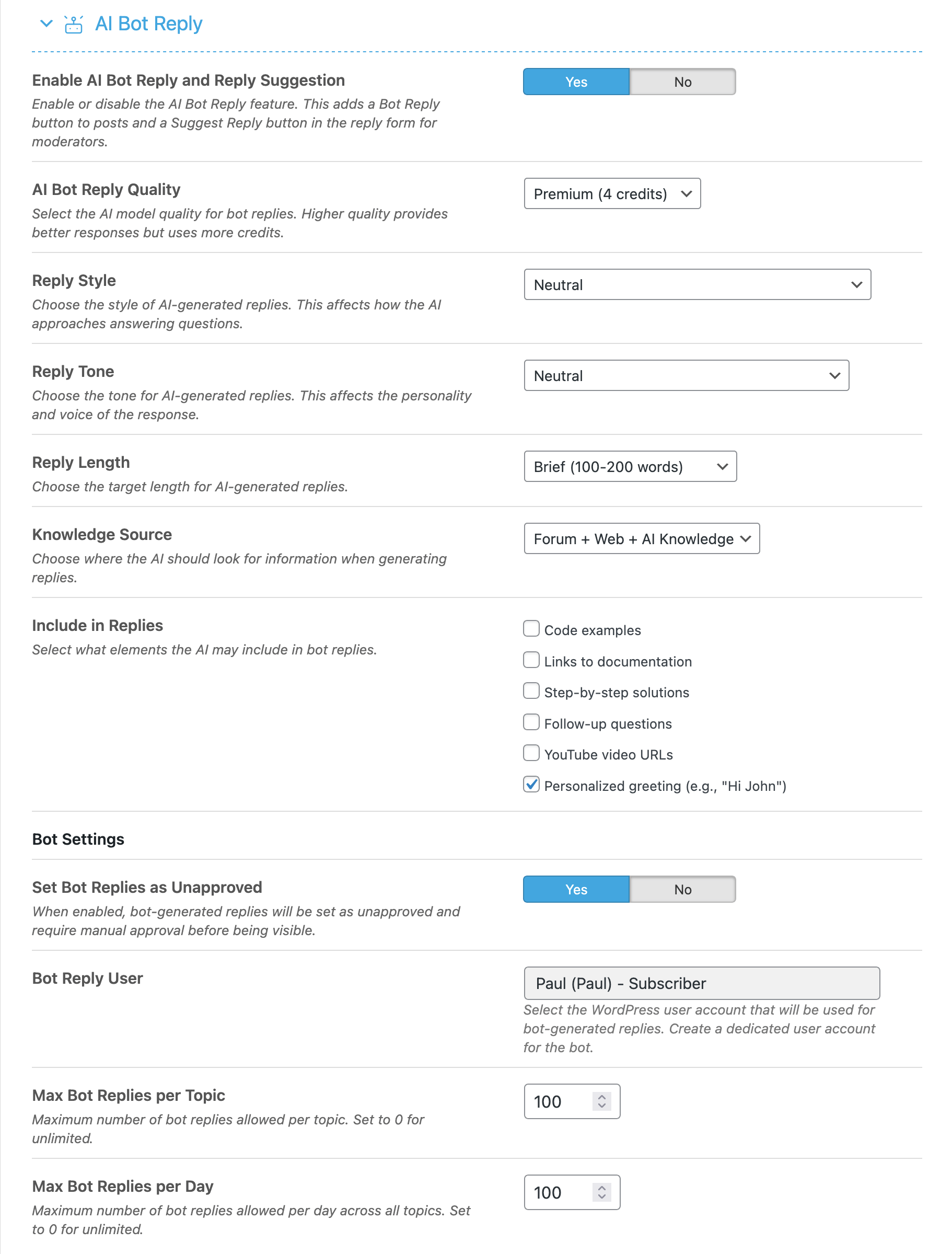
Settings Explained
- Enable AI Bot Reply – Master toggle
- AI Quality – Response quality level
- Reply Mode – Automatic, Manual, or Task-based
- Allowed Forums – Which forums bot can reply in
- Reply Delay – Wait time before posting (avoids looking too automated)
Best Practices
- Start with manual approval – Review quality before going automatic
- Use in specific forums – Not all forums need bot replies
- Set appropriate delay – 5-15 minutes feels more natural
- Use Advanced quality – Bot replies represent your forum
- Monitor and improve – Review replies and adjust settings
Bot User Account
AI Bot replies are posted from a designated bot user account:
- Create a special user for the bot
- Give it a clear name like “AI Assistant”
- Use an appropriate avatar
- Users will know it’s an AI response