
AI ChatBot
The AI ChatBot provides an interactive AI assistant that helps users find information, answers questions, and provides support – 24/7 without human intervention.
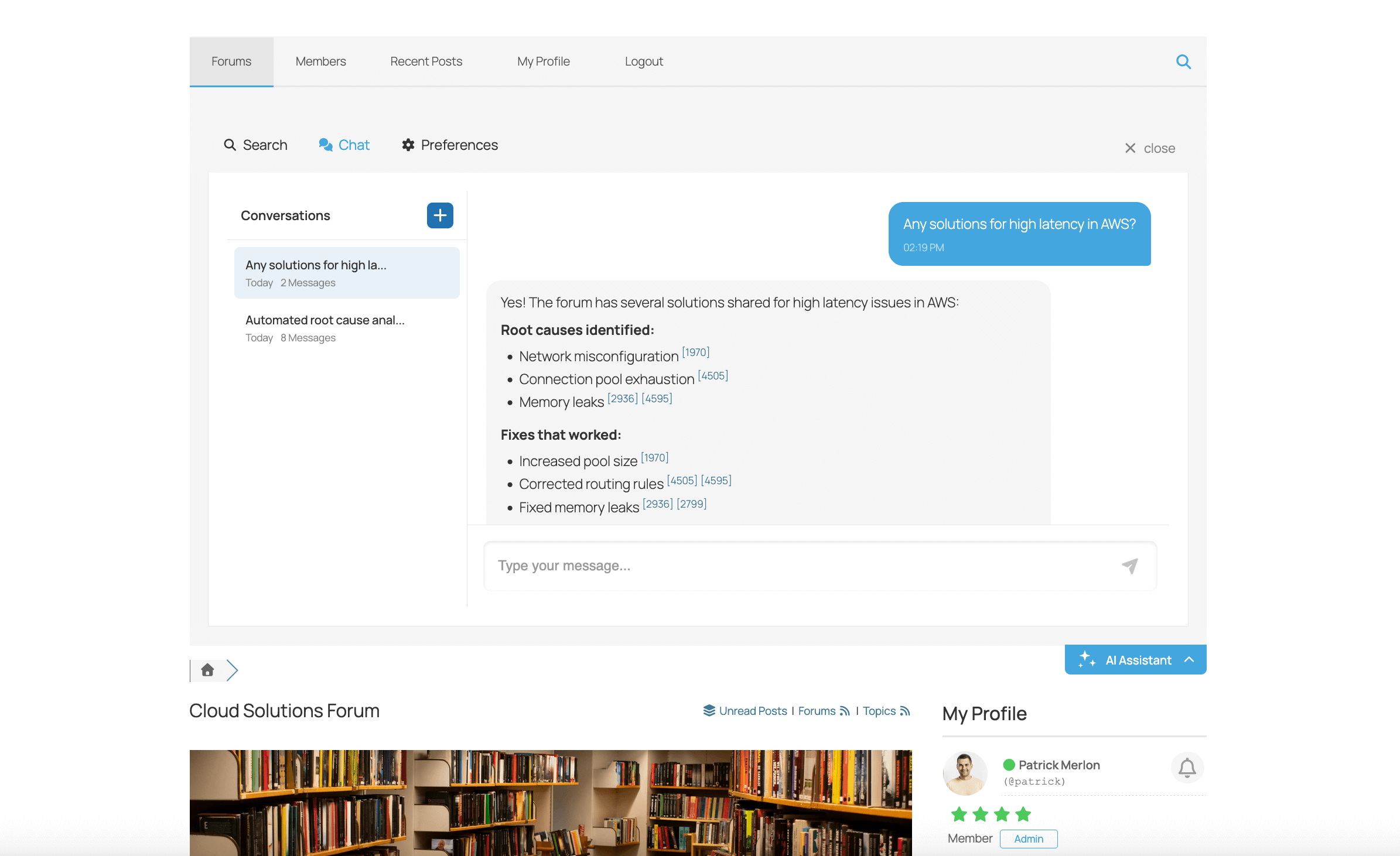
How It Works
- User clicks the ChatBot button on the forum
- Chat widget opens for conversation
- User types their question
- AI responds using forum knowledge and general knowledge
- Conversation continues as needed
ChatBot Features
- Natural conversation – Understands context and follow-up questions
- Forum-aware – Knows about your forum content when context is enabled
- Multi-turn dialogue – Remembers conversation context
- Link suggestions – Points users to relevant forum topics
- Markdown support – Formatted responses with code, lists, etc.
Configuration
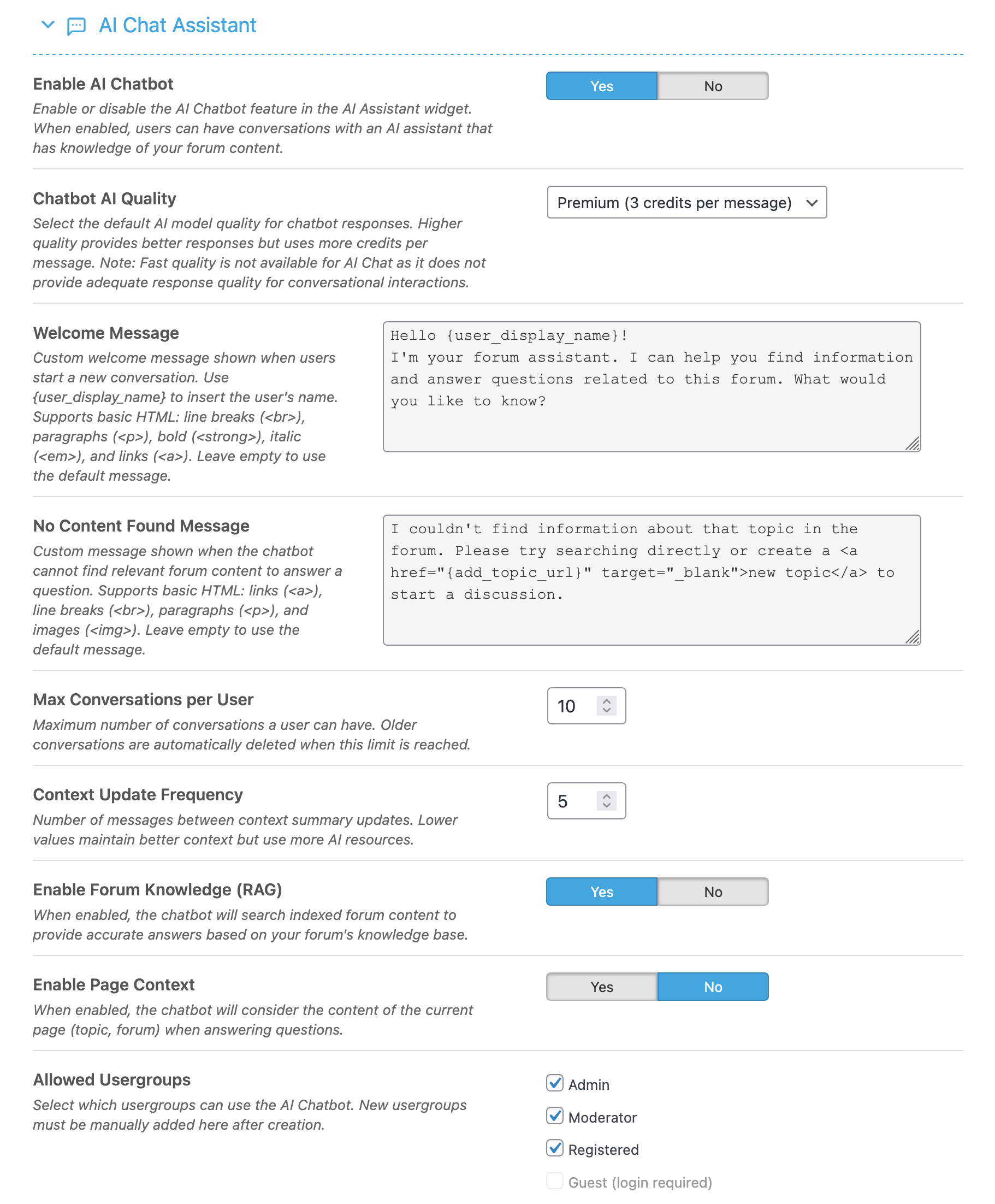
Settings Explained
- Enable AI ChatBot – Master toggle
- AI Quality – Response quality level
- Widget Position – Left or right side of screen
- Use Local Context – Include forum content in responses
- Allowed User Groups – Restrict access to specific groups
ChatBot Widget
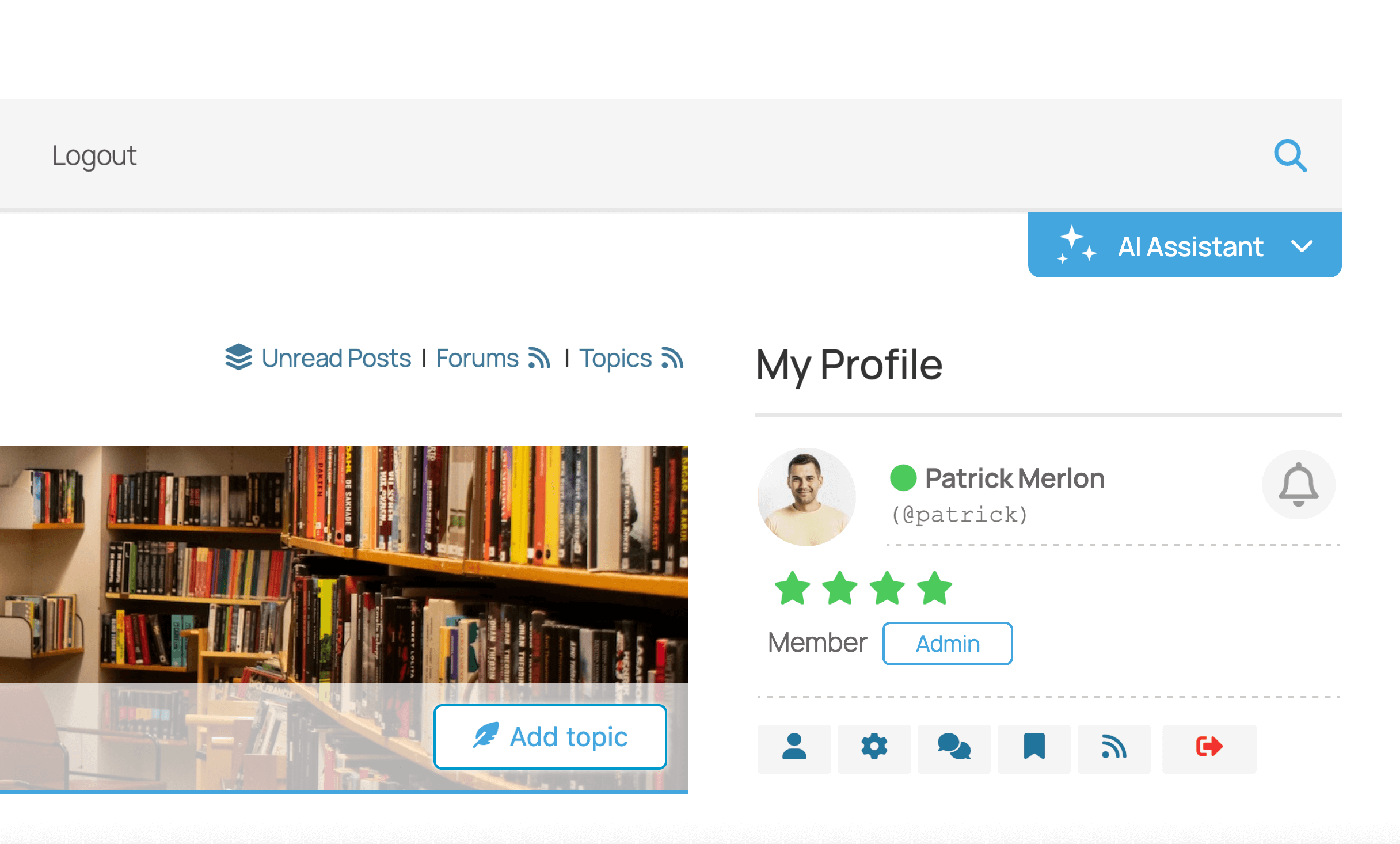
The ChatBot is part of the AI Assistant widget which includes:
- Chat tab – Interactive AI conversation
- Search tab – AI semantic search
Best Practices
- Enable local context – Makes responses forum-specific
- Use Balanced quality – Good responses at reasonable cost
- Index your content – ChatBot works better with indexed forum
- Monitor chat logs – Understand what users are asking
- Consider access control – May want to limit to registered users
Chat History
View ChatBot conversations in AI Features > AI Logs:
- See all chat messages
- View user questions and AI responses
- Analyze common questions
- Identify content gaps