
AI Toxicity Detection
AI Toxicity Detection identifies harmful, abusive, or inappropriate content to maintain a respectful community environment. The AI understands context, sarcasm, and nuance to minimize false positives.
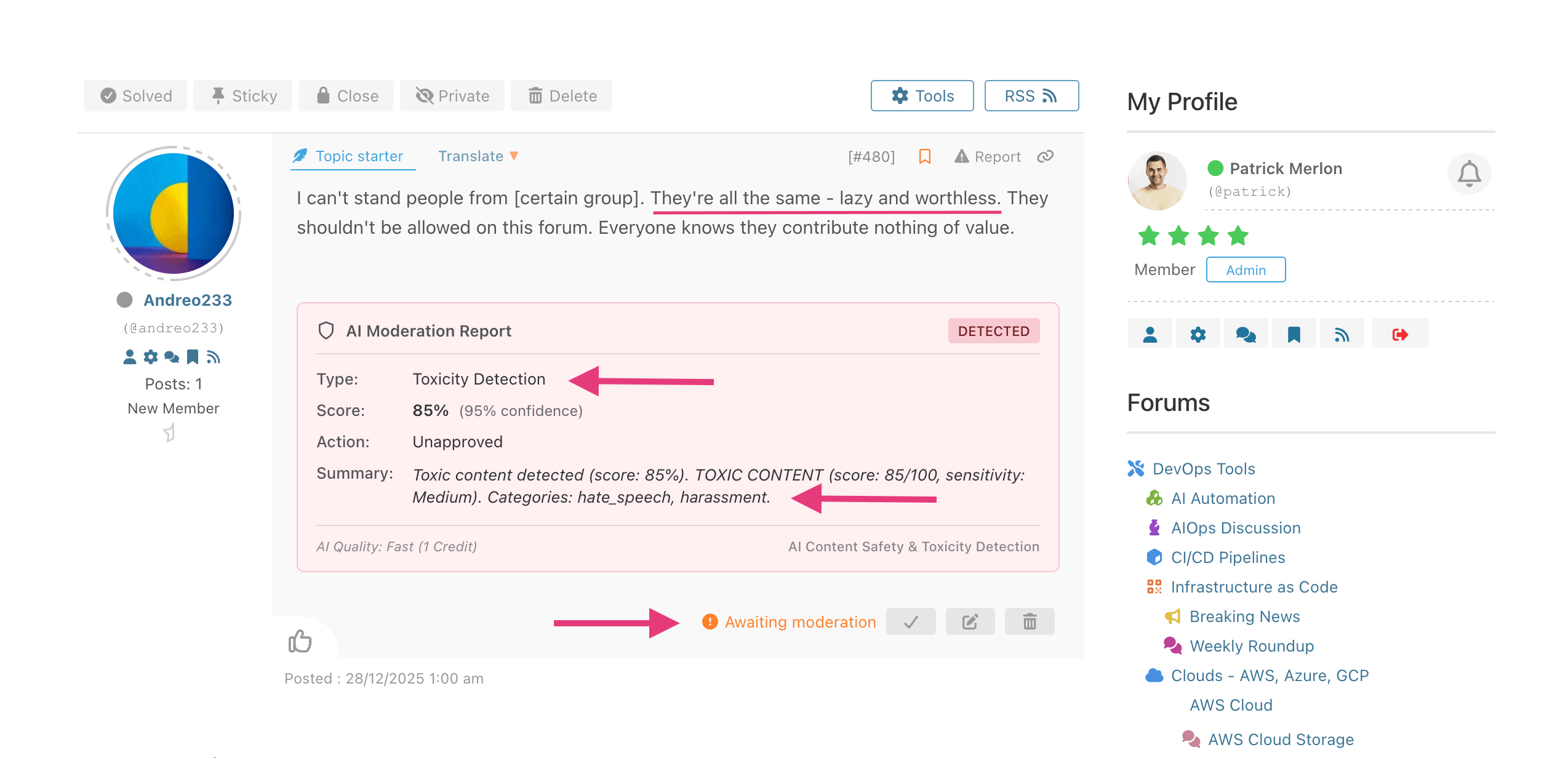
What AI Detects
- Hate speech – Discrimination based on identity
- Harassment – Targeted attacks on individuals
- Insults – Personal attacks and name-calling
- Threats – Violence or harm threats
- Profanity – Excessive or inappropriate language
- Bullying – Intimidation and mockery
Sensitivity Levels
| Level | Description | Best For |
|---|---|---|
| Low | Only catches clear violations | Adult forums, casual communities |
| Medium | Balanced detection (recommended) | Most forums |
| High | Strict detection, more flags | Family-friendly, professional forums |
Configuration
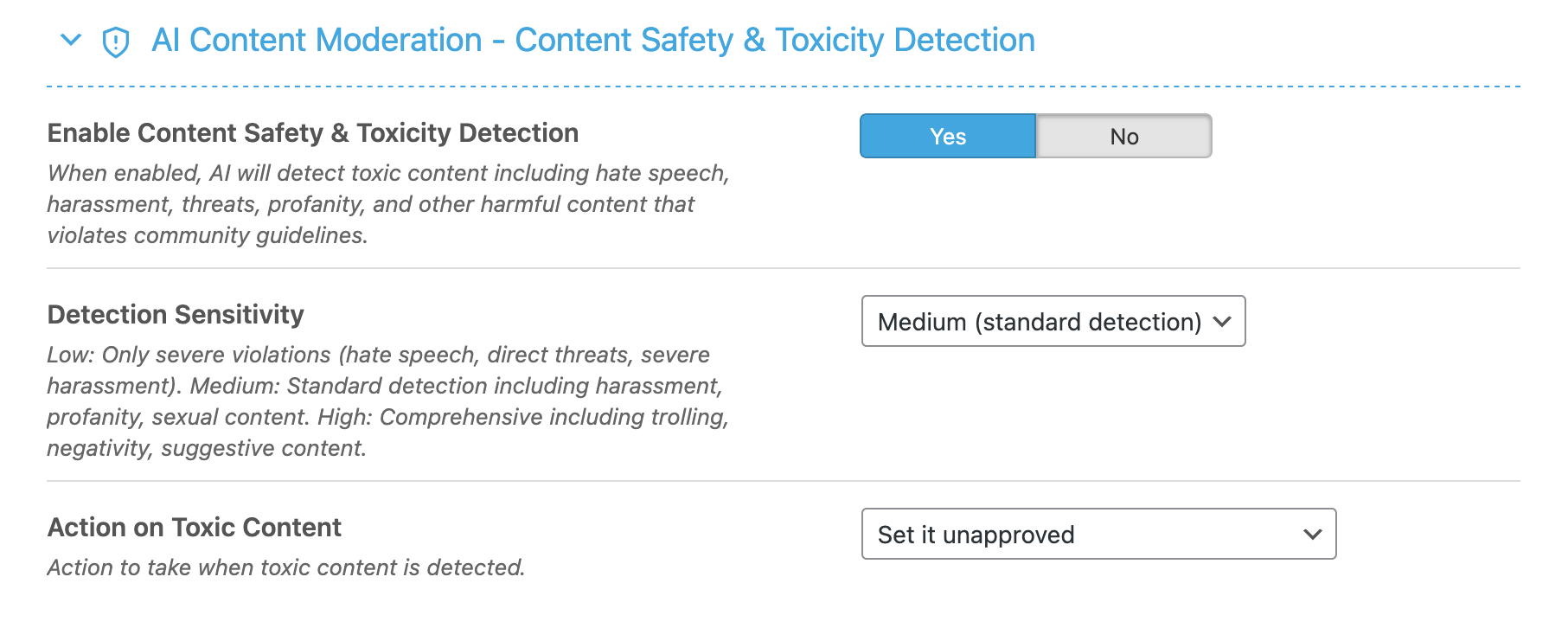
Settings Explained
- Enable AI Toxicity Detection – Master toggle
- Sensitivity Level – Low, Medium, or High
- Action on Detection – What to do when toxicity is found
Moderation Report
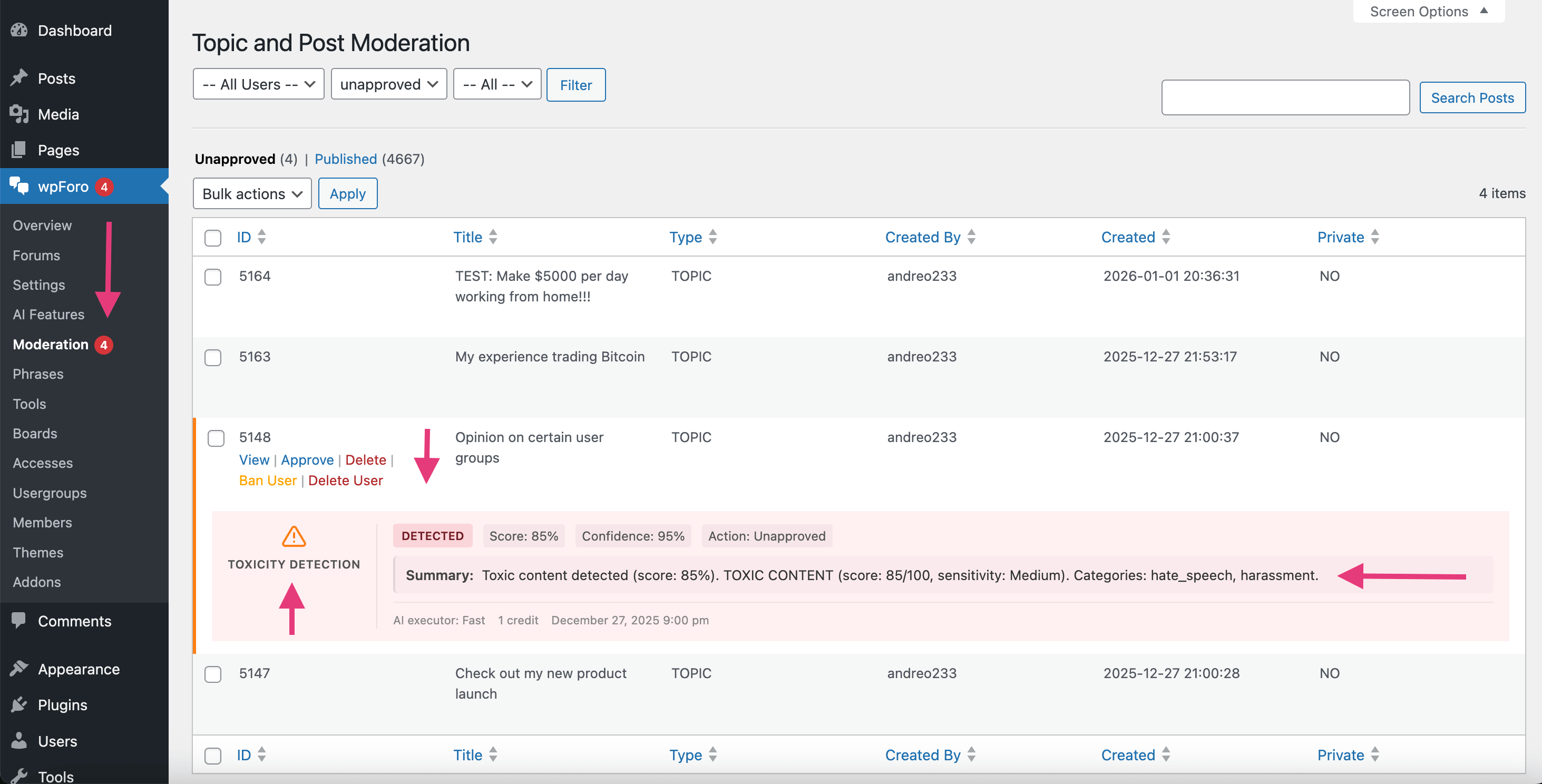
Toxicity reports show:
- Overall toxicity score
- Specific toxic indicators
- Highlighted problematic text
- Moderation options
Best Practices
- Start with Medium sensitivity – Adjust based on results
- Review flagged content – Context matters
- Consider your audience – Adjust sensitivity accordingly
- Combine with clear rules – Users should know expectations