
AI Semantic Search
AI Semantic Search revolutionizes how users find content in your forum. Unlike traditional keyword-based search, semantic search understands the meaning and context of queries, delivering more relevant results even when exact keywords don’t match.
How Semantic Search Works
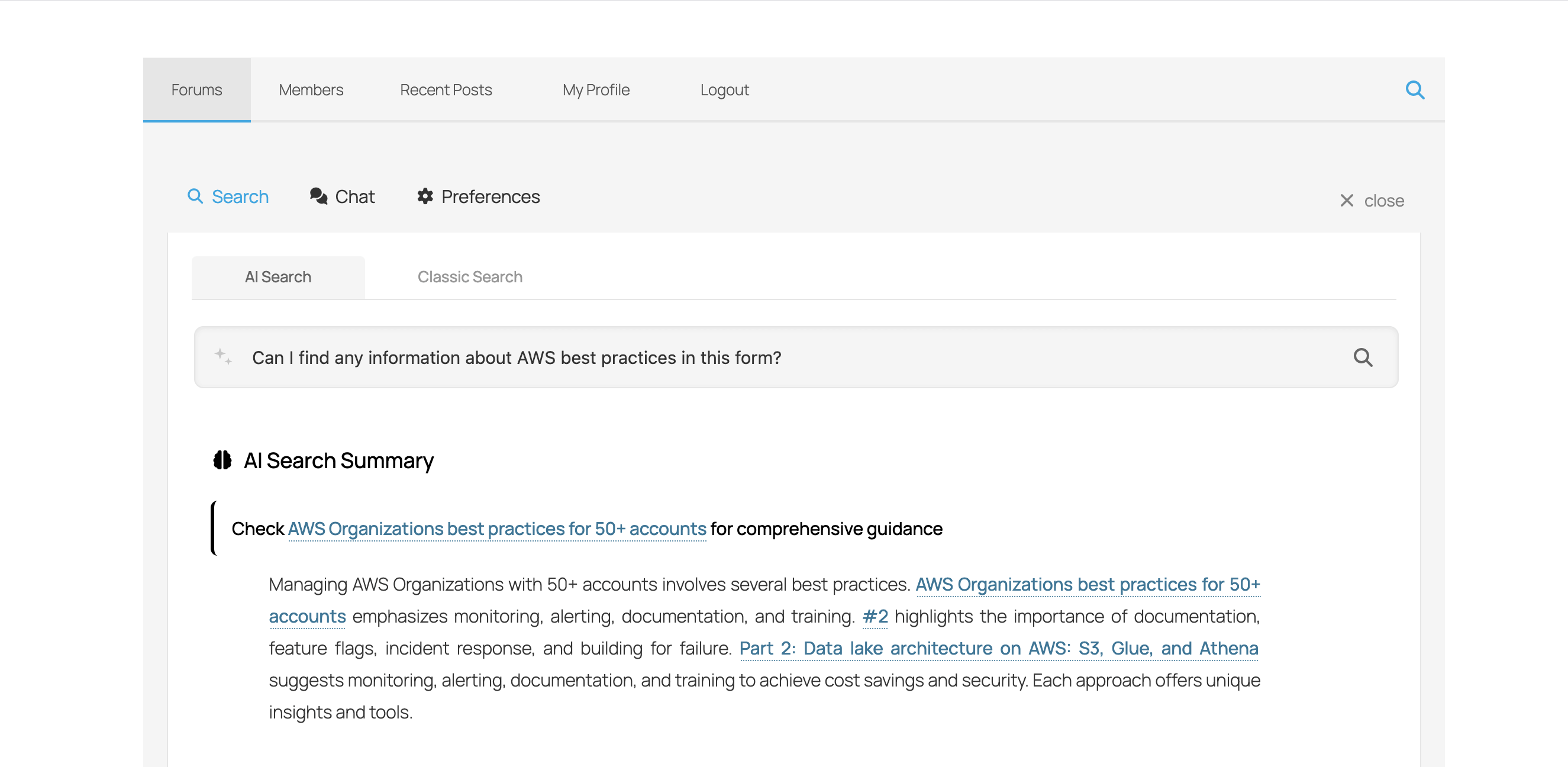
Traditional search matches exact words. Semantic search understands:
- Synonyms – “car” also finds “automobile,” “vehicle”
- Context – “python” in a programming forum vs. pet forum
- Intent – What the user really wants to find
- Related concepts – Finds topically related content
Example Comparisons
| User Query | Traditional Search Finds | Semantic Search Finds |
|---|---|---|
| “How to fix slow website” | Only posts with “fix,” “slow,” “website” | Posts about performance optimization, caching, speed issues |
| “Error when uploading” | Posts mentioning “error” and “uploading” | File upload issues, attachment problems, media errors |
| “Best practices for security” | Posts with these exact words | Security guides, protection tips, safety recommendations |
Using AI Search
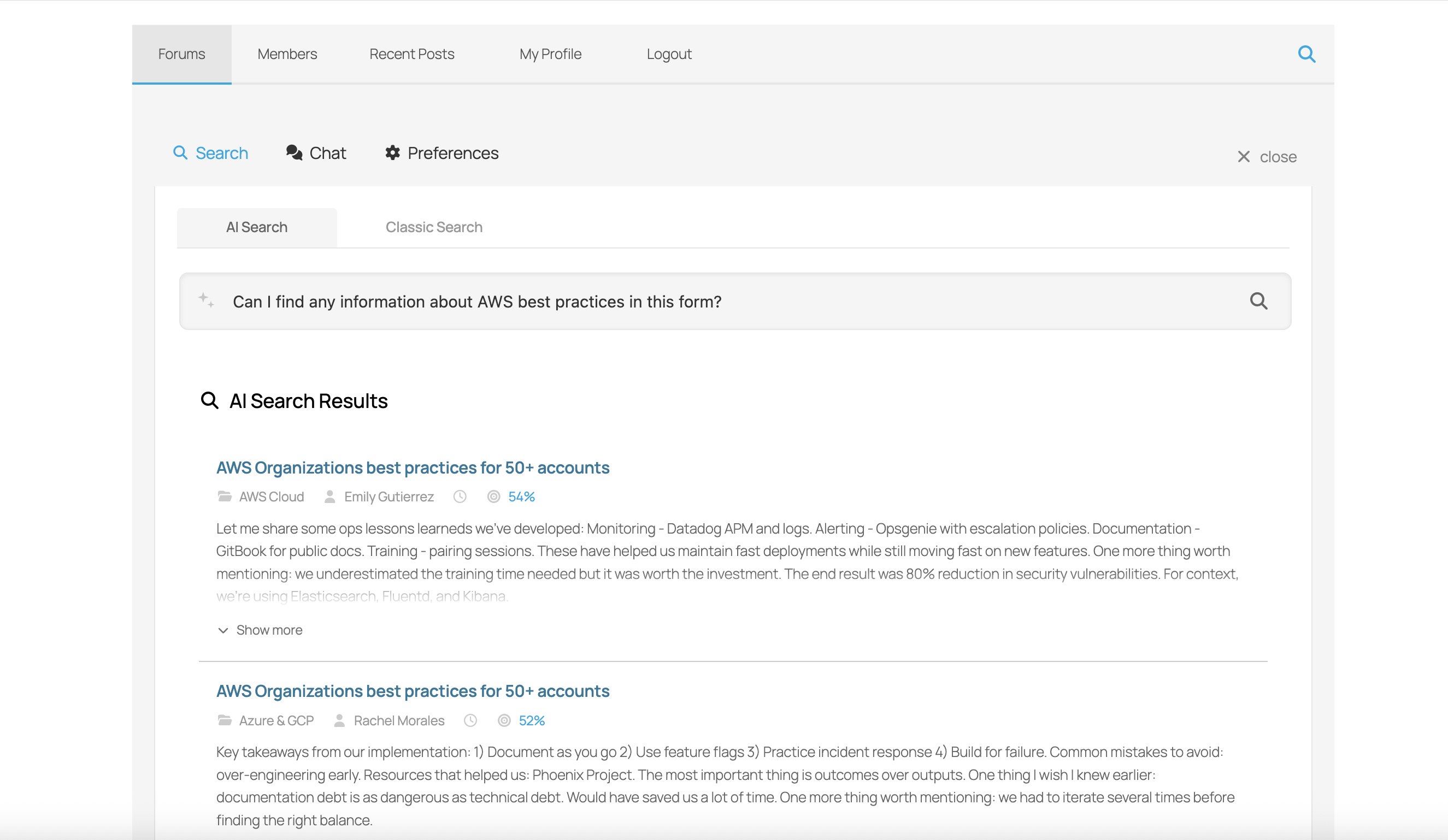
The AI Search is available through the wpForo AI Assistant widget:
- Click the AI Assistant button on your forum
- Switch to the Search tab
- Enter your search query in natural language
- View semantically relevant results
Search Quality Levels
Choose the quality level that balances accuracy and credit usage:
| Quality | Accuracy | Speed | Credits | Best For |
|---|---|---|---|---|
| Fast | Good | ~0.5 sec | 1 credit | High-volume forums, quick lookups |
| Balanced | Better | ~1 sec | 2 credits | Most forums (recommended) |
| Advanced | Very Good | ~2 sec | 3 credits | Complex queries, research forums |
| Premium | Best | ~3 sec | 4 credits | Maximum accuracy, critical content |
Query Enhancement
When enabled, the AI can improve user queries before searching:
- Corrects spelling mistakes
- Expands abbreviations
- Adds relevant context
- Clarifies ambiguous terms
Example: User searches “wp froo instalation” → Enhanced to “wpForo installation guide”
Configuration
Configure AI Search in Dashboard > wpForo > Settings > AI Features:
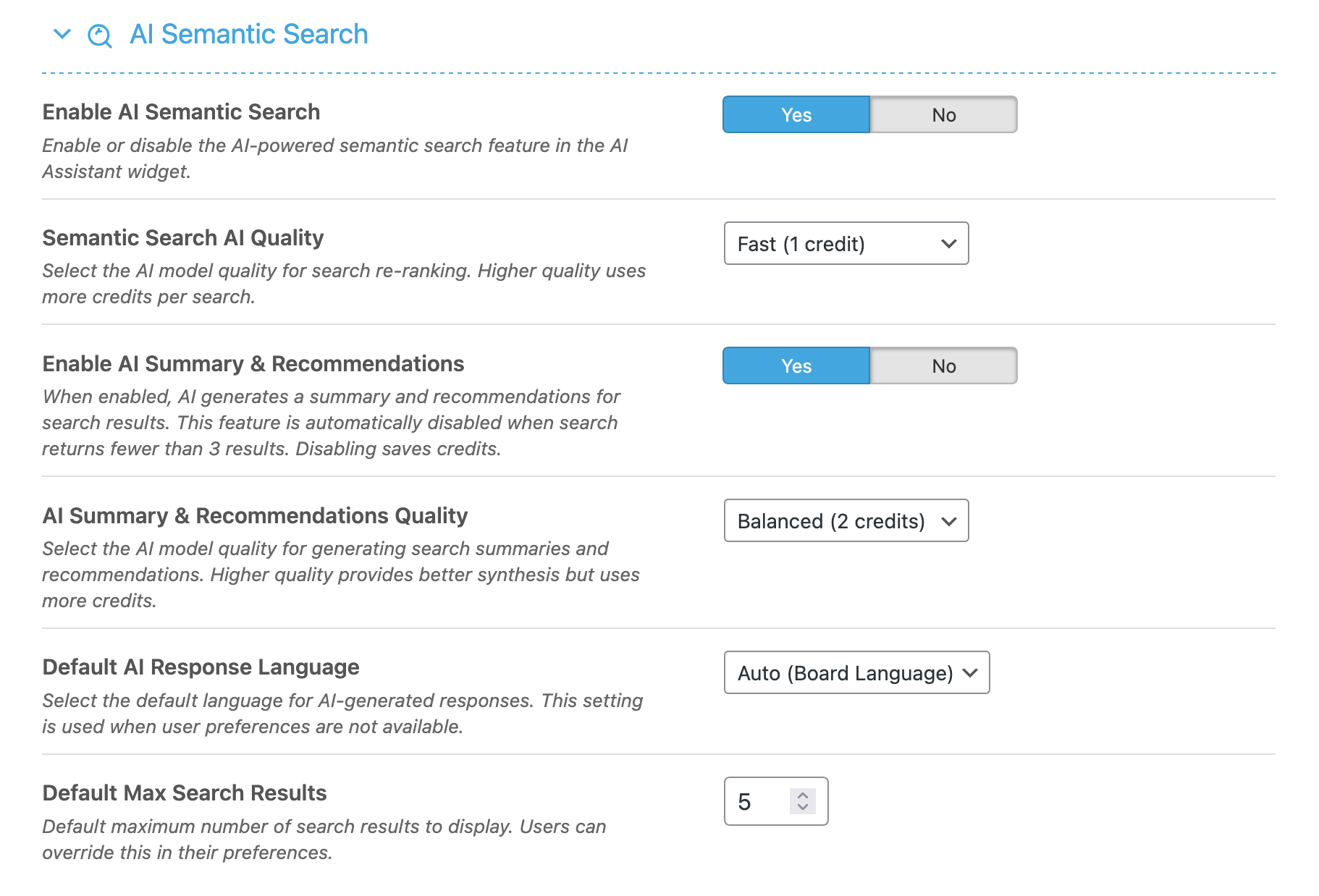
Settings Explained
- Enable AI Search – Master toggle for semantic search
- Search Quality – Processing quality level
- Enable Query Enhancement – AI query improvement
- Enhancement Quality – Quality of query enhancement
- Search Language – Preferred processing language
- Maximum Results – Number of results to return (5-20)
Content Indexing
For semantic search to work, your forum content must be indexed:
- Go to AI Features > Tasks tab
- Run the Index Forum Content task
- Wait for indexing to complete
New content is automatically indexed as it’s created.
Best Practices
- Index regularly – Ensure new content is searchable
- Use Balanced quality – Best accuracy-to-cost ratio
- Enable enhancement – Helps users with poor search skills
- Monitor usage – Check AI Logs for search patterns